
Share Sheet
Import audio from other apps via Share Sheet — pin to favorites and use the Transcribe action.
The Share Sheet is the fastest way to import audio from other apps into VivaDicta. Any app that handles audio files — Voice Memos, Files, Safari, and more — can send audio directly to VivaDicta for transcription.
How to Use the Share Sheet
- Open any app with an audio file (e.g., Voice Memos, Files).
- Tap the Share button.
- Select VivaDicta from the app row in the Share Sheet.
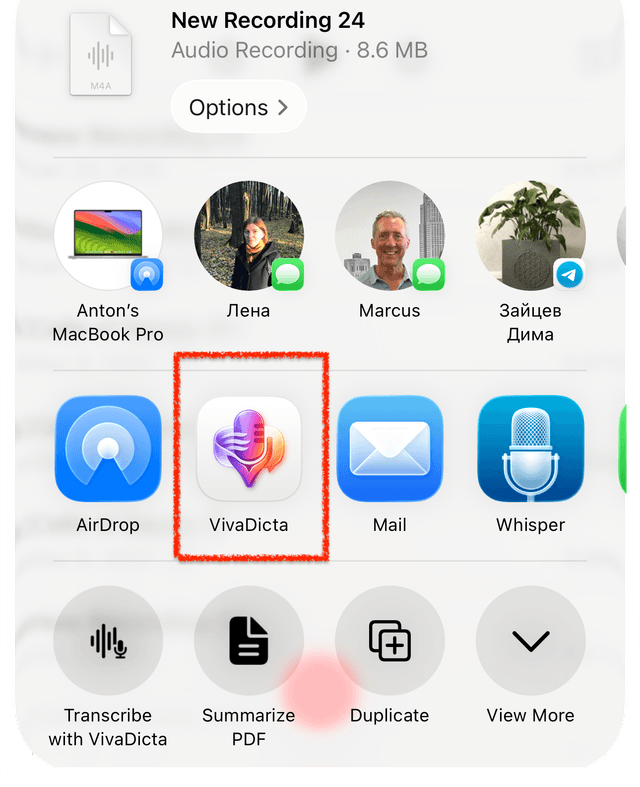
The audio file is imported and transcribed automatically using your current mode settings.
Pin VivaDicta to Favorites
If VivaDicta doesn't appear in the top row of the Share Sheet, you can pin it to your favorites so it's always visible:
1. Open the app list
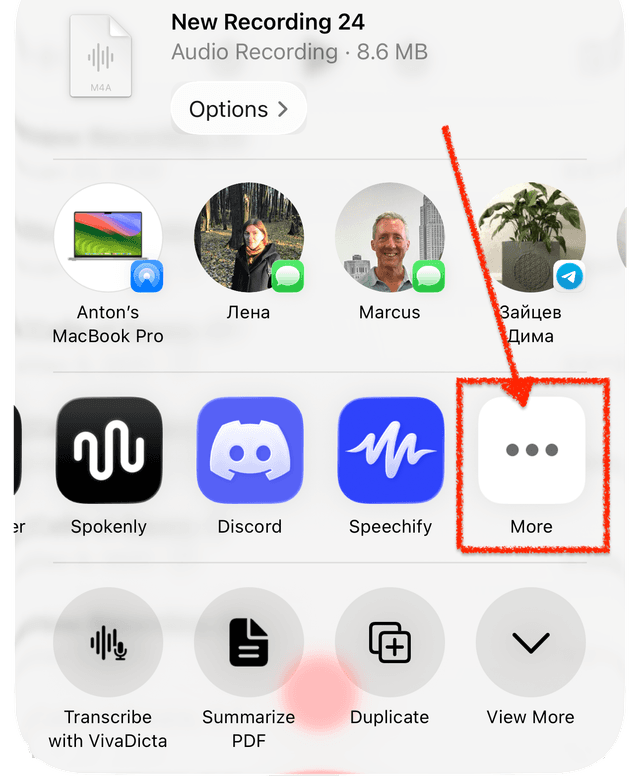
Scroll the app row in the Share Sheet and tap More (the three-dot icon).
2. Tap Edit
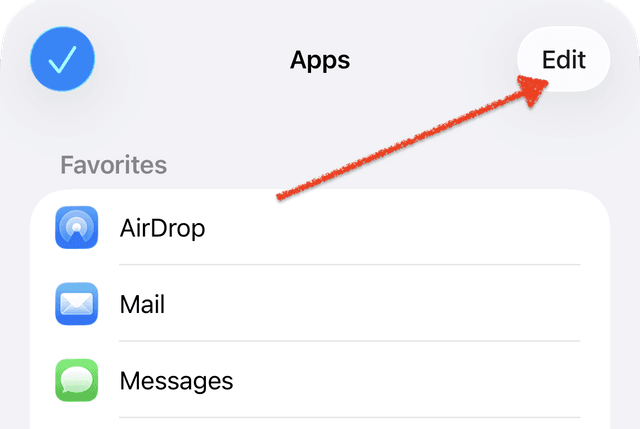
In the Apps list, tap Edit in the top-right corner.
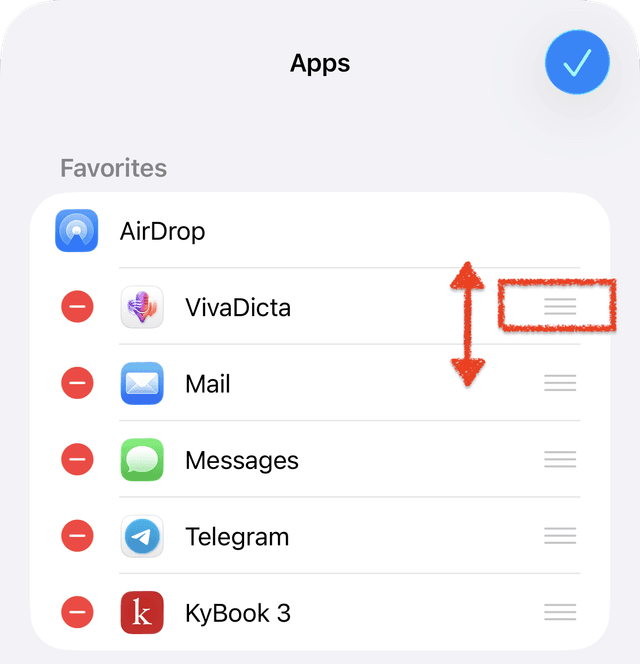
3. Add VivaDicta to Favorites
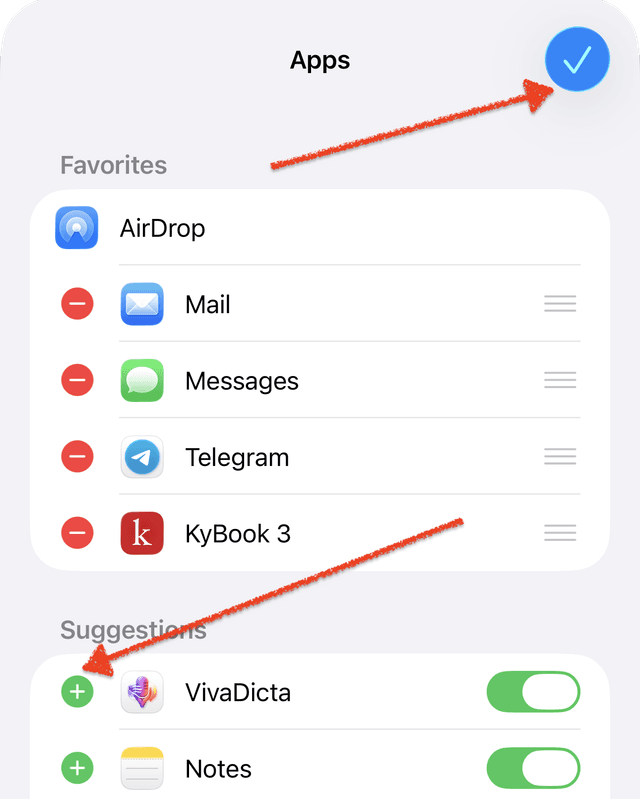
Find VivaDicta in the Suggestions section and tap the + button to add it to your Favorites.
4. Reorder (optional)
Drag the handle on the right side of VivaDicta to move it higher in the list. The higher it is, the more prominent it appears in the Share Sheet.
Supported Formats
VivaDicta accepts audio files in WAV, MP3, M4A, AIFF, MP4, MOV, AAC, FLAC, CAF, AMR, OGG, OPUS, and 3GP formats via the Share Sheet.
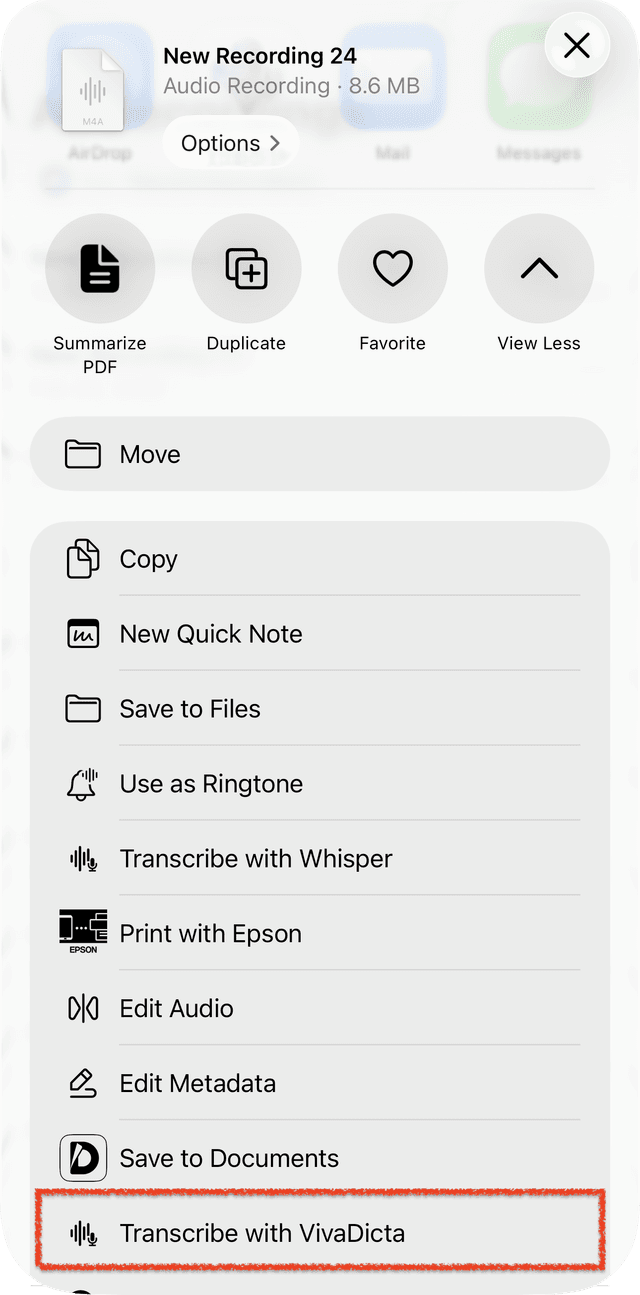
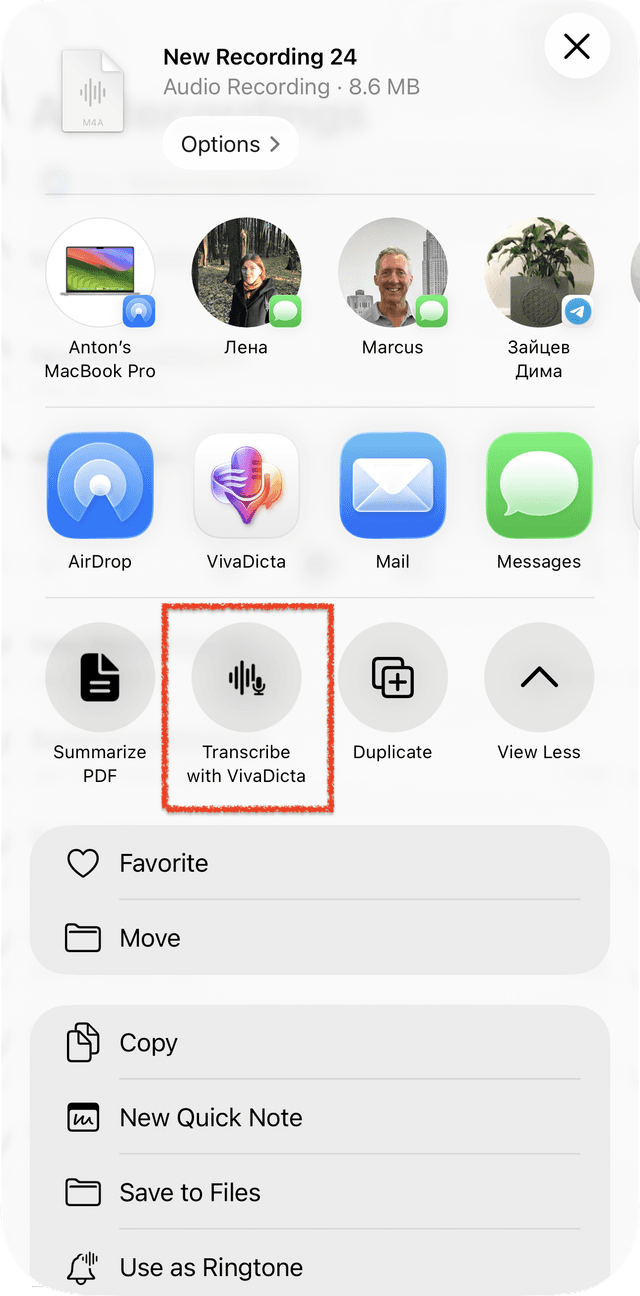
Transcribe with VivaDicta Action
In addition to the app row, VivaDicta adds a Transcribe with VivaDicta action to the Share Sheet action list. Scroll down in the action list to find it.
Pin to Quick Actions Row
You can pin the action to the Quick Actions row at the top of the Share Sheet for faster access:
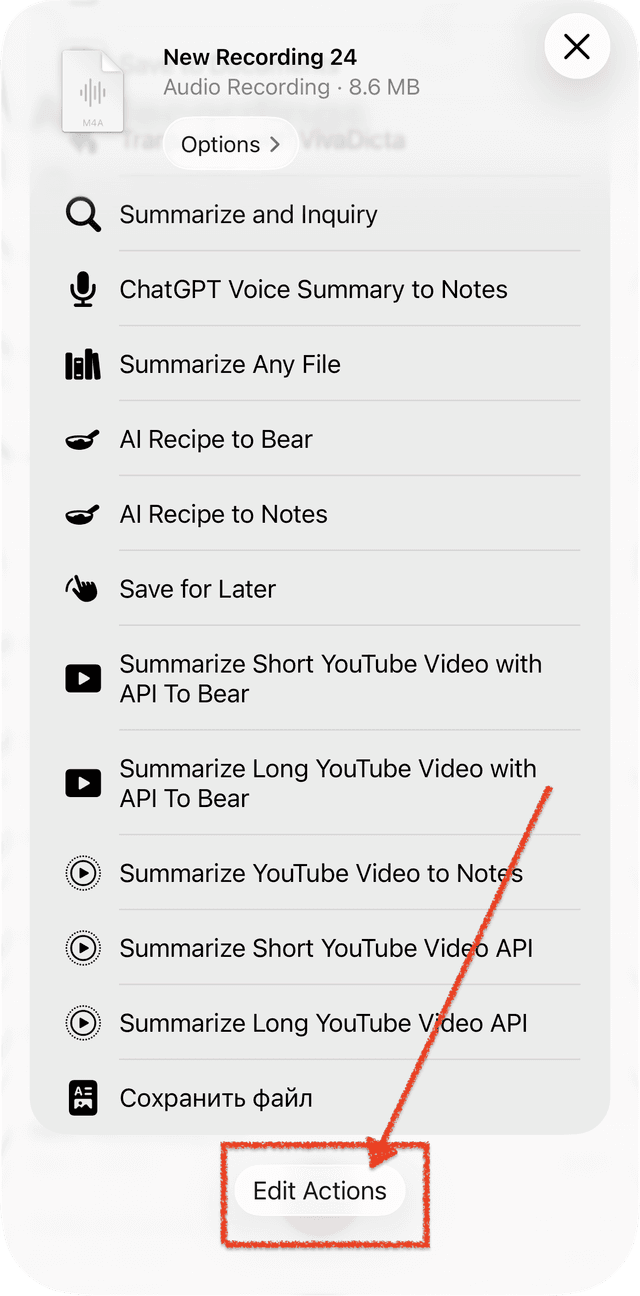
1. Open Edit Actions
In the Share Sheet, scroll down the action list and tap Edit Actions at the bottom.
2. Enable and pin VivaDicta
Find Transcribe with VivaDicta in the list. Make sure the toggle is on, then tap the + button to add it to your pinned actions. Tap the checkmark to save.
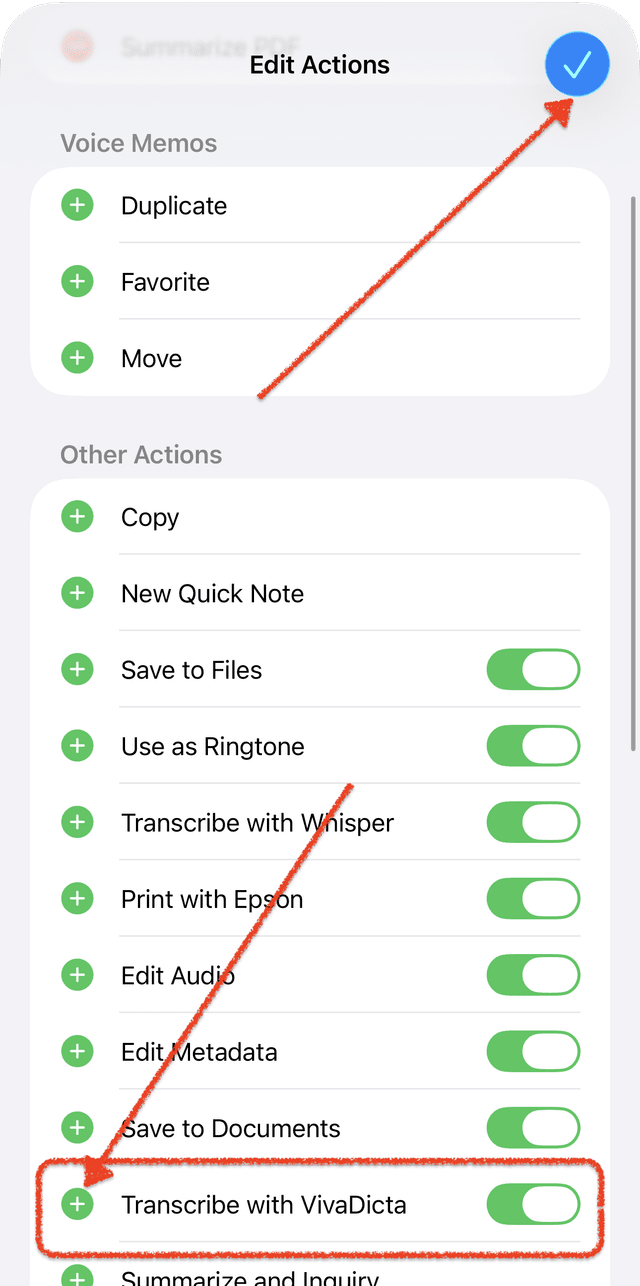
3. Done — it appears in Quick Actions
Now Transcribe with VivaDicta appears in the Quick Actions row at the top of the Share Sheet.
Related
- Import Audio — all ways to get audio into VivaDicta.