VivaDicta
VivaDicta App Icon

Dictate Anywhere

Transform speech into perfectly polished text with AI. Completely free, endlessly flexible, and private by design. Now with iCloud sync across iPhone, iPad, and Mac.

Always Free
Fully Customizable
100% Private
iCloud Sync
Download on the App Store
100+ Languages
Multiple AI Models
Open Source

Voice Transcription, Reimagined

Built on three core principles: completely free, endlessly customizable, and 100% private. Every feature available to everyone—no exceptions.

Fully Customizable

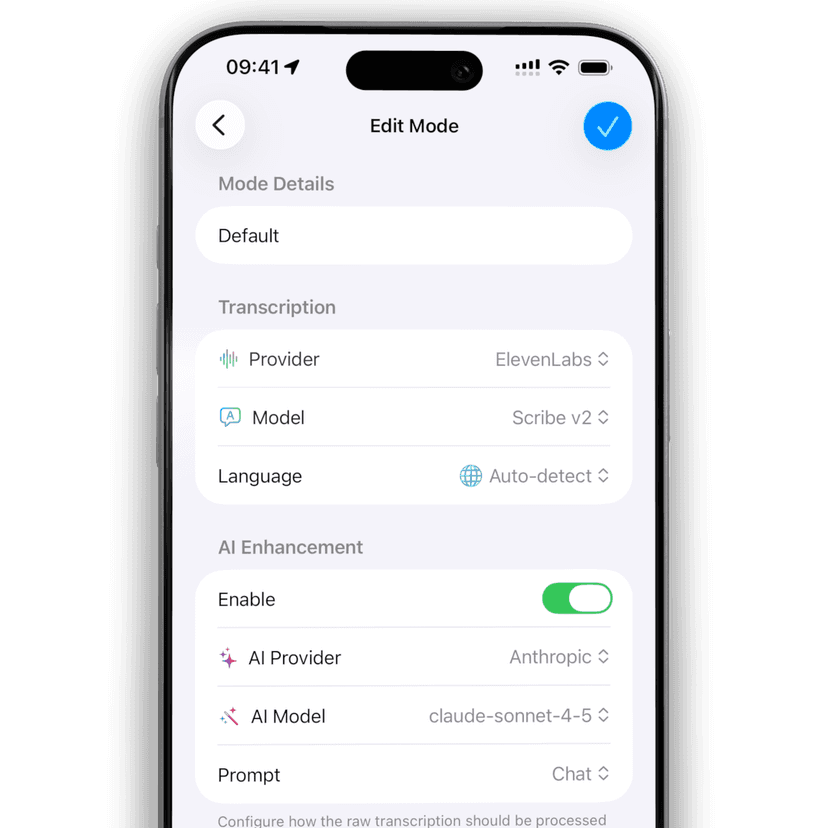
Configure every aspect of your workflow.

  • 9 AI transcription providers (local and cloud)
  • 13 AI enhancement providers
  • Dozens of AI models
  • Bring your own AI models via OpenAI-compatible API
VivaDicta Mode Configuration

Type with Your Voice, Anywhere

One keyboard for all your apps. Dictate into Messages, WhatsApp, Notion, or anywhere else you type. Swipe to switch between modes, with a recording timer and smooth processing animations.

Messages
Messages
Notes
Notes
Mail
Mail
Safari
Safari
Pages
Pages
Reminders
Reminders
Journal
Journal
Translate
Translate
Telegram
Telegram
WhatsApp
WhatsApp
Messenger
Messenger
Instagram
Instagram
Facebook
Facebook
Discord
Discord
X
X
Notion
Notion
Slack
Slack
Chrome
Chrome
Firefox
Firefox
Obsidian
Obsidian
Bear
Bear
Craft
Craft
Day One
Day One
Ulysses
Ulysses
iA Writer
iA Writer
Scrivener
Scrivener
Spark
Spark
Word
Word
Messages
Messages
Notes
Notes
Mail
Mail
Safari
Safari
Pages
Pages
Reminders
Reminders
Journal
Journal
Translate
Translate
Telegram
Telegram
WhatsApp
WhatsApp
Messenger
Messenger
Instagram
Instagram
Facebook
Facebook
Discord
Discord
X
X
Notion
Notion
Slack
Slack
Chrome
Chrome
Firefox
Firefox
Obsidian
Obsidian
Bear
Bear
Craft
Craft
Day One
Day One
Ulysses
Ulysses
iA Writer
iA Writer
Scrivener
Scrivener
Spark
Spark
Word
Word

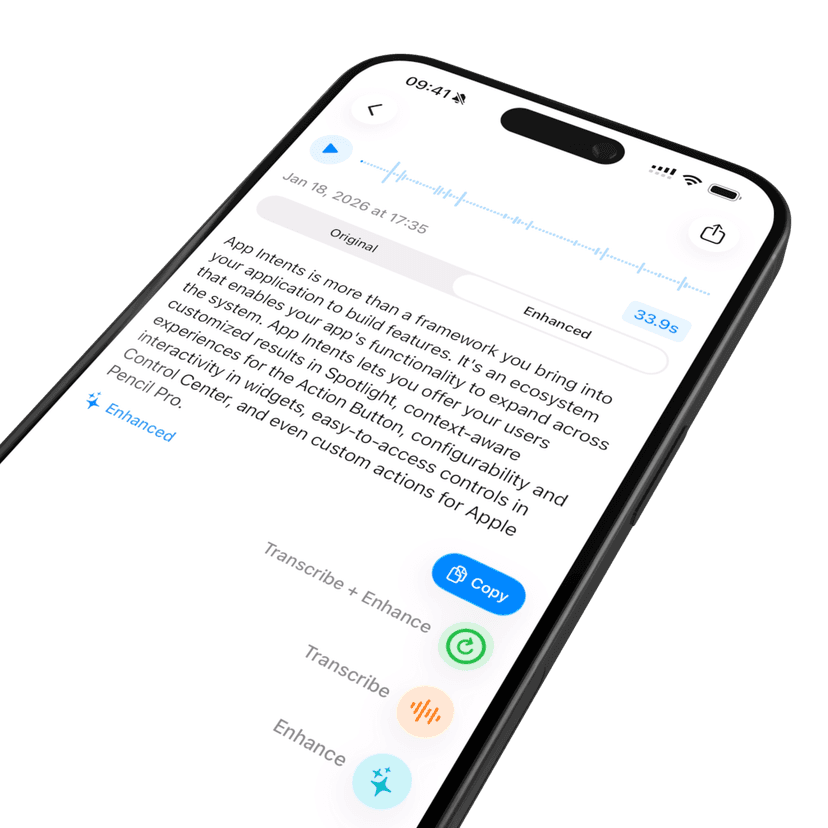
AI Presets & Variations

  • Process text with different presets — Summary, Email, Coding, and more
  • Each result saved as a variation for side-by-side comparison
  • Create custom presets with your own AI instructions
  • Free on-device Apple Foundation Model or cloud AI with your own keys
VivaDicta AI Enhancement

Private by Design

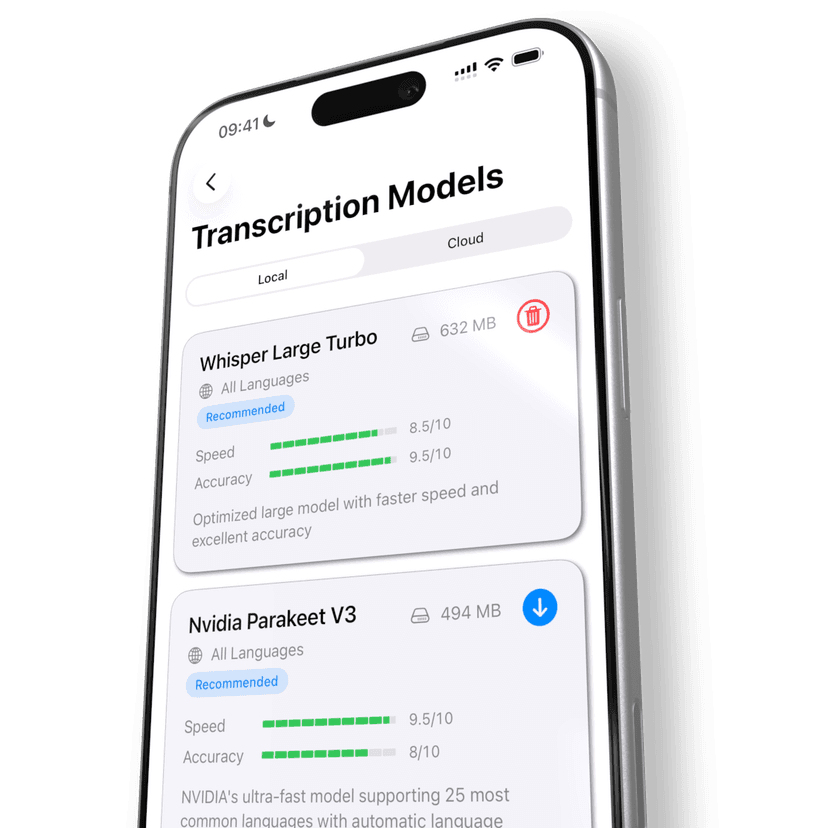
  • Your voice never leaves your iPhone
  • Zero telemetry or tracking
  • No accounts or sign-ups required
  • Works offline — even in airplane mode

Cloud AI is available if you want it — but it's completely optional and always under your control.

No internet neededComplete privacy
VivaDicta Local Models
New in 2.0

More Ways to Use Your Voice

AI Assistant

A new preset turns VivaDicta into a voice-powered AI assistant. Speak your question or task — get a structured, formatted response. Like ChatGPT, but with your voice.

Auto-Translation

Set a Translate preset as your mode's default and every recording is automatically translated. Speak in any language — get text in English, Spanish, Russian, or any other language.

iCloud Sync

Transcriptions, presets, custom dictionary, and API keys sync seamlessly across your iPhone, iPad, and Mac via iCloud.

Clipboard & Text Context

AI processing can use your clipboard or selected text as context. Copy a message and dictate your reply, or paste an email and voice-dictate your response.

AI Presets & Variations

Process any transcription with multiple AI presets — Summary, Email, Coding, and more. Each result is saved as a variation so you can compare outputs side by side.

See the Difference

Your natural speech transformed into polished, professional text — instantly.

Voice Input

"hey um so I wanted to talk about the project update and like we finished the main feature this week and also fixed some bugs and uh the feedback has been really good so far let me know if you have questions"

AI Enhancement
VivaDicta Output

Hey! Quick update on the project: we finished the main feature this week and fixed several bugs. The feedback has been really positive so far. Let me know if you have any questions!

Viva Modes

Switch between AI-powered modes optimized for different contexts. Each mode transforms your speech with style-specific formatting.

One-Tap Switch
Change modes instantly from the keyboard
Custom AI Presets
Build presets tailored to your workflow
Email
Active
Voice Input

"hey john can you send me the report by friday thanks"

AI Processing
Enhanced Output

Hi John, Could you please send me the report by Friday? Best regards, Emily

Professional formatting✓ Formatting applied

Personal Dictionary

Teach VivaDicta your vocabulary. Add names, technical terms, and shortcuts for perfectly accurate transcriptions every time.

Spelling Corrections

Add industry terms, names, and words the AI should recognize and spell correctly.

VivaDicta
Kubernetes
Dr. Johnson

Word Replacements

Create shortcuts and auto-replacements to speed up your workflow.

my websitehttps://vivadicta.com
my emailjohn@example.com
my signatureBest regards, John
OpenAI
Anthropic
Gemini
Groq
Mistral
Cerebras
Z.ai
OpenAI
Anthropic
Gemini
Groq
Mistral
Cerebras
Z.ai
DeepSeek
Deepgram
Grok
HuggingFace
Ollama
OpenRouter
Vercel
DeepSeek
Deepgram
Grok
HuggingFace
Ollama
OpenRouter
Vercel
ElevenLabs
OpenAI
Anthropic
Gemini
Mistral
HuggingFace
Kimi
ElevenLabs
OpenAI
Anthropic
Gemini
Mistral
HuggingFace
Kimi
VivaDicta

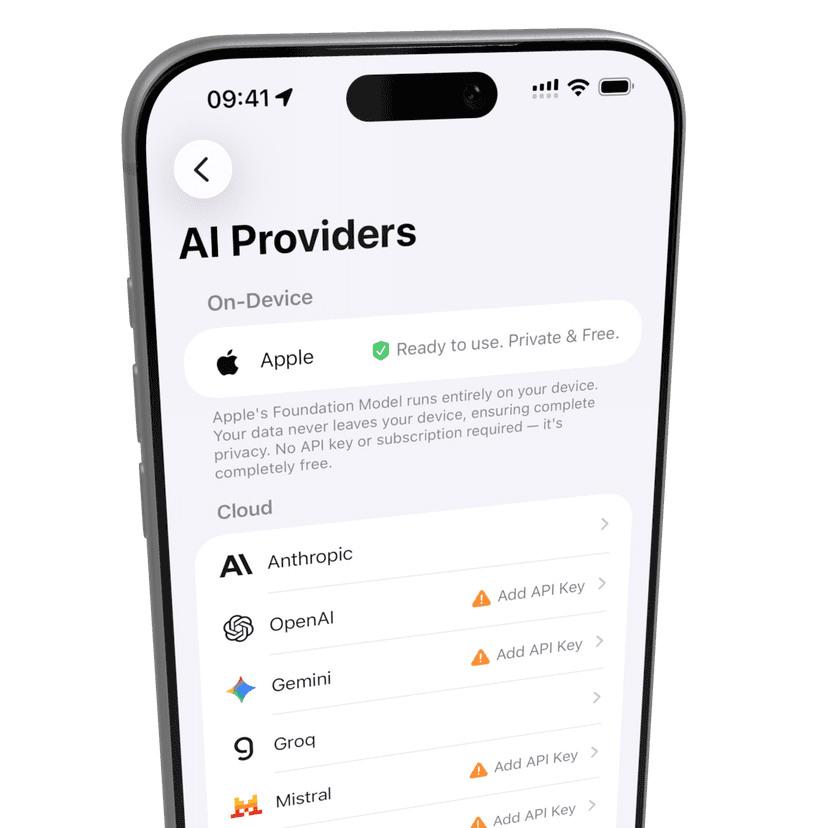
Choose Your AI

Mix and match AI providers to fit your workflow. Use the free on-device Apple Foundation Model, connect your own API keys for cloud power, or combine both—it's all up to you.

  • Free on-device Apple Foundation Model
  • 100% private — your data never leaves your device
  • Works offline, no internet needed
  • Connect cloud AI with your own API keys
VivaDicta AI Providers

Always Free

No subscriptions. No hidden fees. No premium tiers. Every feature is available to everyone. VivaDicta is and always will be free.

Forever Free
$0

Everything included. No strings attached.

Lightning Fast

  • On-device transcription
  • Instant AI enhancement
  • Real-time processing

Fully Flexible

  • Multiple AI models
  • Custom presets & variations
  • iCloud sync across devices

Private by Design

  • Zero telemetry or tracking
  • Data stays on device
  • No internet required

Open Source

  • Transparent code
  • Community-driven
Download on the App Store

Frequently Asked Questions

Everything you need to know about VivaDicta and how it keeps your voice data private.

Still have questions? Reach out to us at support@vivadicta.com

Get in Touch

Have questions, feedback, or feature requests? We'd love to hear from you.

Email Support

For general questions and support

support@vivadicta.com

Feature Requests

Have an idea to make VivaDicta better?

feedback@vivadicta.com

Send us a Message