
OAuth Sign-In Setup
Sign in with ChatGPT, Gemini, or GitHub Copilot — visual step-by-step guide.
Already paying for ChatGPT, GitHub Copilot, or Gemini? Sign in with your existing account and use AI processing in VivaDicta at no extra cost — no API keys needed.
Supported providers: OpenAI (ChatGPT Plus/Pro/Team), Google Gemini (free tier available), GitHub Copilot (free tier with 50 messages/month), and OpenRouter.
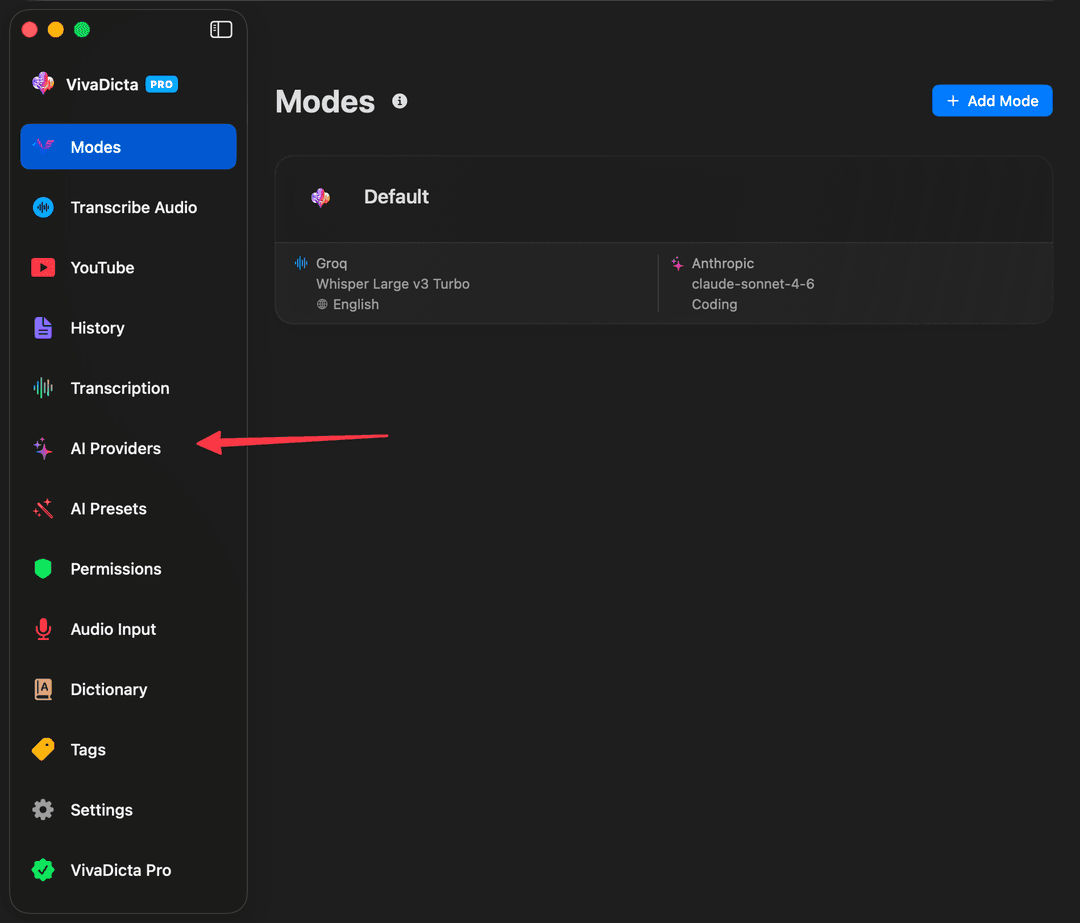
Step 1: Open AI Providers
In VivaDicta, click AI Providers in the sidebar.
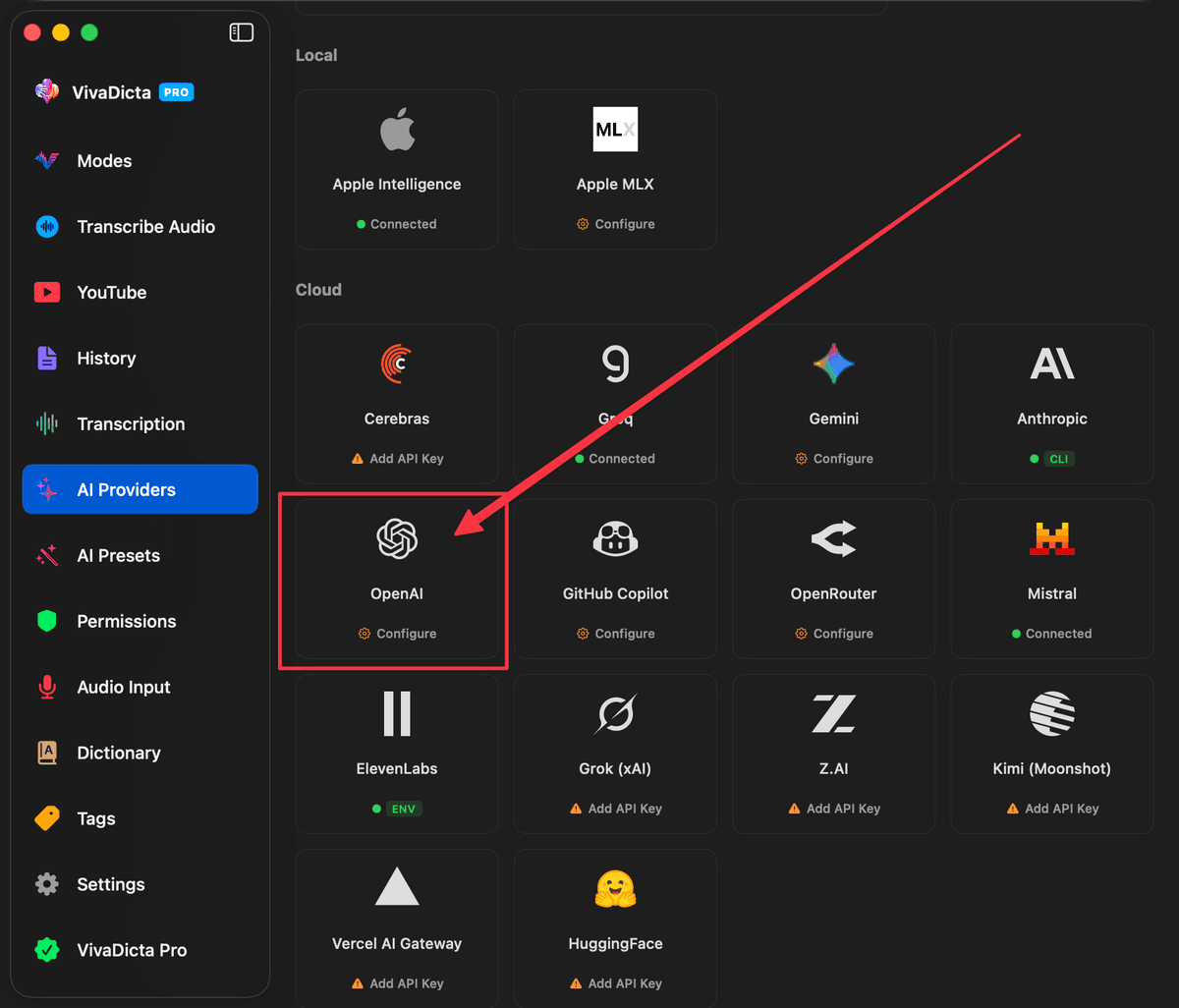
Step 2: Select the Provider
Click on the provider you want to sign in with — for example, OpenAI to use your ChatGPT subscription.
Step 3: Sign In
Click the sign-in button (e.g. Sign in with ChatGPT). Your browser opens for authorization — approve the request and you're connected.
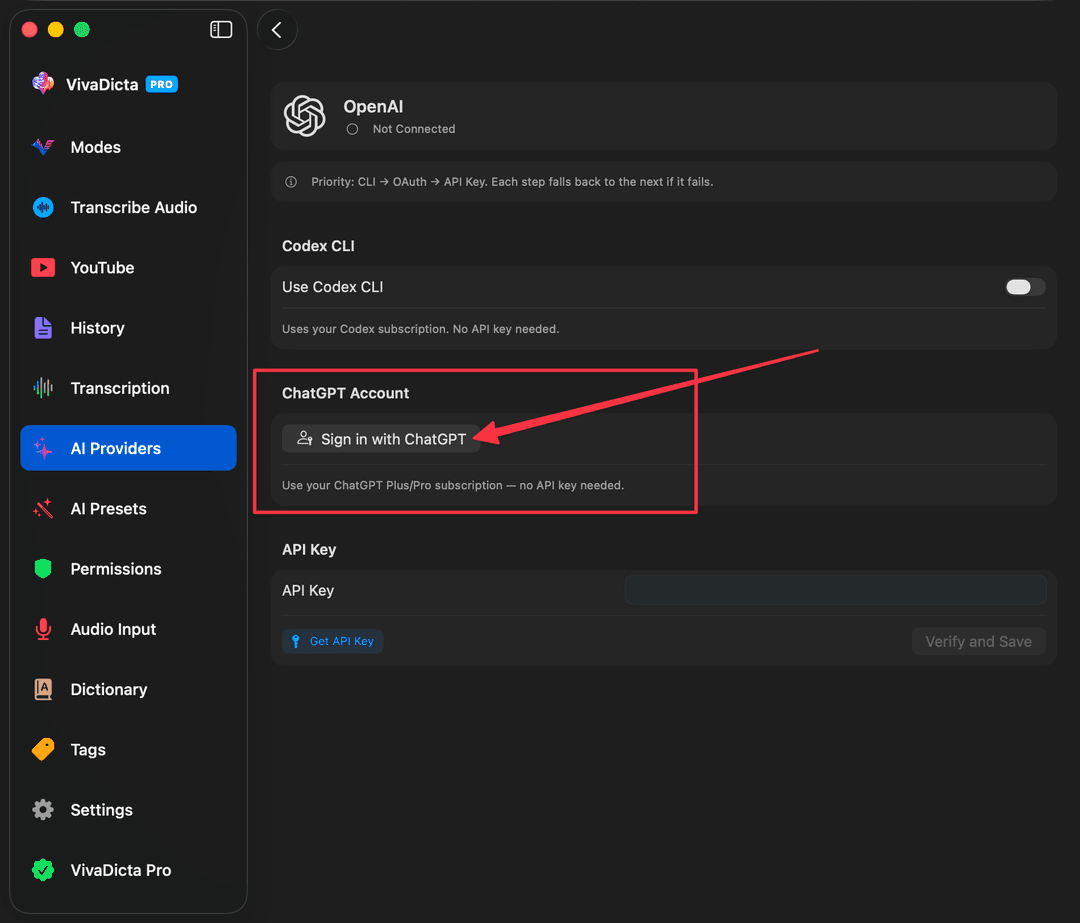
That's it — VivaDicta will now use your subscription for AI processing.
Provider-Specific Notes
ChatGPT (OpenAI)
Works with: ChatGPT Plus, Pro, or Team subscription. Click Sign in with ChatGPT and authorize in your browser.
Google Gemini
Works with: Any Google account (free tier available). Click Sign in with Google — VivaDicta auto-discovers your Google Cloud project during sign-in.
GitHub Copilot
Works with: GitHub Copilot Free, Pro, Business, or Enterprise. The free tier gives you 50 messages per month — no credit card required. The Pro plan ($10/mo) unlocks Claude, GPT, Gemini, and Grok models.
- Click Sign in with GitHub.
- Enter the device code shown in VivaDicta on GitHub's authorization page.
- VivaDicta fetches available models based on your plan.
OpenRouter
Works with: OpenRouter account with credits. Click Sign in with OpenRouter — VivaDicta exchanges your OAuth authorization for an API key automatically.
Fallback Chain
You can enable multiple auth methods for the same provider. VivaDicta tries them in priority order and falls back automatically:
- OpenAI: ChatGPT OAuth → CLI Agent → API Key
- Gemini: Google OAuth → CLI Agent → API Key
What's Next?
- CLI Agents Setup — use Claude Code, Codex CLI, or Gemini CLI with your subscription.
- AI Providers — set up API keys and other authentication methods.
- AI Processing Overview — learn how VivaDicta uses AI to polish your transcriptions.