
Use Your Subscriptions
Sign in with ChatGPT, Copilot, or Claude — use AI at no extra cost.
Already paying for ChatGPT, GitHub Copilot, or Claude? You can use VivaDicta's AI processing features at no extra cost by signing in with your existing subscription — no separate API key needed.
OAuth Sign-In
VivaDicta supports one-click sign-in for several providers. Instead of creating and managing API keys, just sign in with your account. For a visual step-by-step guide, see OAuth Sign-In Setup.
ChatGPT (OpenAI)
Works with: ChatGPT Plus, Pro, or Team subscription.
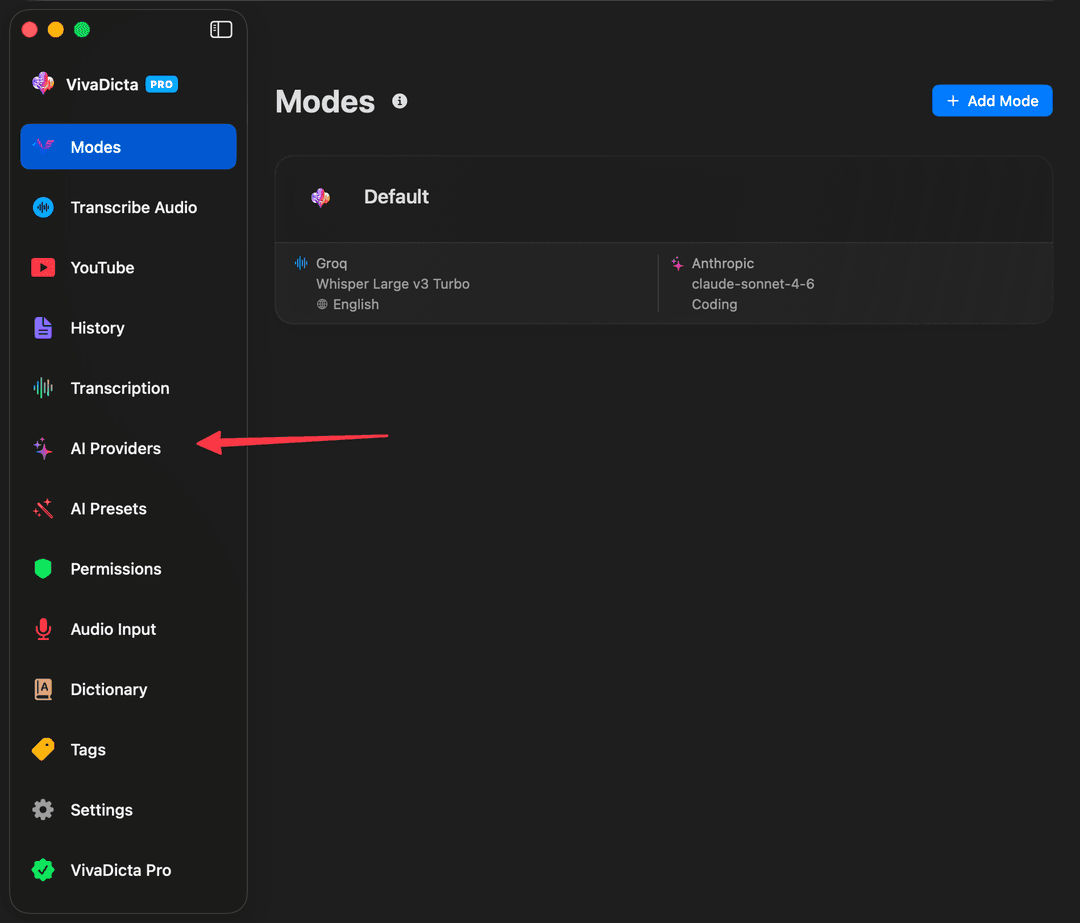
- In VivaDicta, click AI Providers in the sidebar.
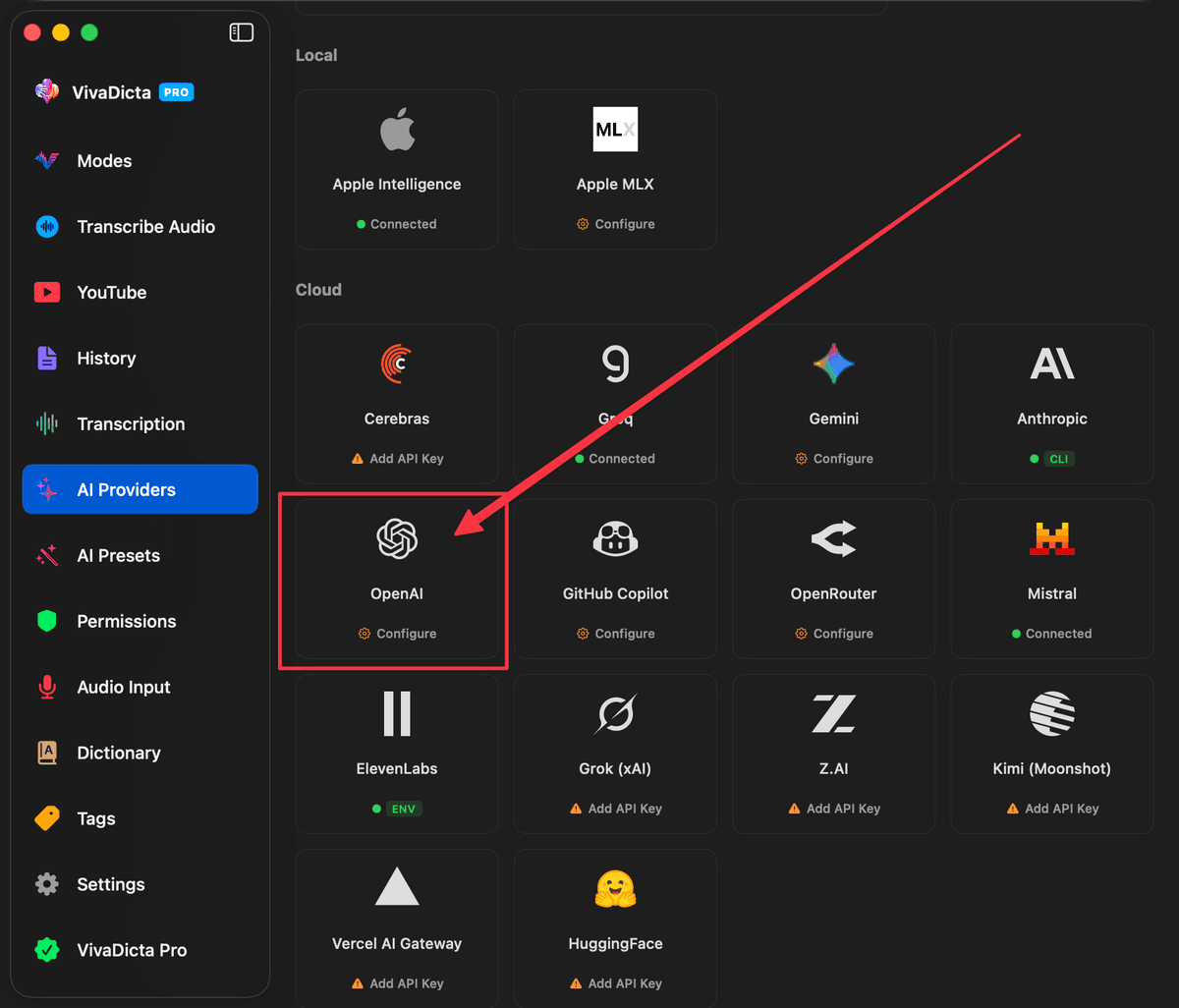
- Click on the OpenAI provider card.
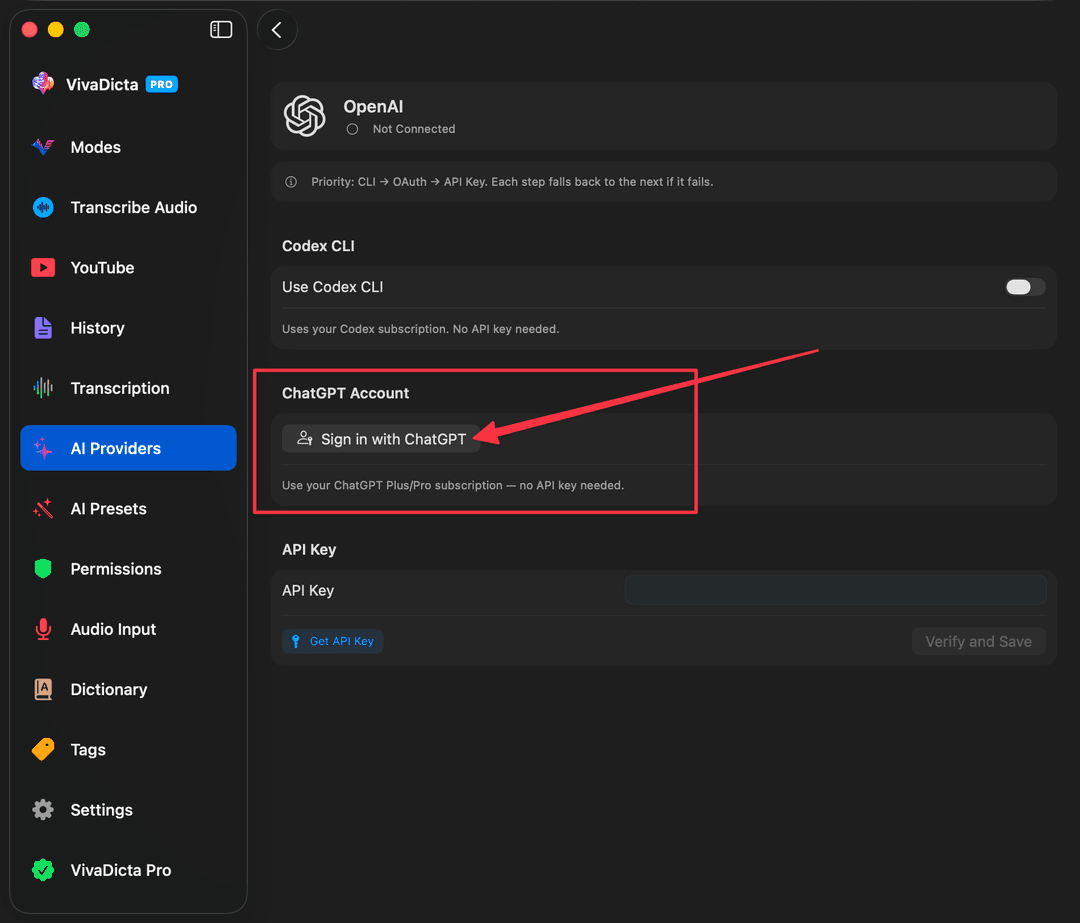
- Click Sign in with ChatGPT and authorize in your browser.
Google Gemini
Works with: Any Google account (free tier available).
- In VivaDicta, go to AI Provider settings → Google Gemini.
- Click Sign in with Google.
- VivaDicta auto-discovers your Google Cloud project during sign-in.
GitHub Copilot
Works with: GitHub Copilot Free, Pro, Business, or Enterprise. A free tier is available with 50 messages per month — no credit card required.
The Pro plan ($10/mo) gives you expanded access to Claude, GPT, Gemini, and Grok models — all through VivaDicta.
- In VivaDicta, go to AI Provider settings → GitHub Copilot.
- Click Sign in with GitHub.
- Enter the device code shown in VivaDicta on GitHub's authorization page.
- VivaDicta fetches available models based on your plan (Free, Pro, Pro+).
OpenRouter
Works with: OpenRouter account with credits.
- In VivaDicta, go to AI Provider settings → OpenRouter.
- Click Sign in with OpenRouter.
- VivaDicta exchanges your OAuth authorization for an API key automatically.
Grok (SuperGrok / X Premium)
Works with: SuperGrok or X Premium subscription.
- In VivaDicta, go to AI Provider settings → Grok.
- Click Sign in with Grok. Your browser opens with a short code to approve, the same way you would connect a TV app.
- Approve the code at x.ai and return to VivaDicta.
xAI limits which plans can connect an app, so sign-in can succeed while inference is still refused. VivaDicta reports that directly rather than failing silently. An xAI API key always works, is billed per token, and unlocks the full model list.
VivAgents Server
Use your existing subscriptions via CLI agents (Claude Code, Codex CLI, Gemini CLI) installed on your Mac. The VivAgents Server is built into VivaDicta for Mac — just enable sharing and your iOS devices can connect instantly. It also runs as a standalone server on macOS and Linux.
See the VivAgents Server guide for full setup instructions.
Note: CLI agents (Claude Code, Codex) are designed for software development use. Using them for general text processing may fall outside the intended use and could lead to account restrictions. By enabling this feature you proceed at your own risk.
API Key vs OAuth vs VivAgents
| Method | Cost | Setup | Limitations |
|---|---|---|---|
| API Key | Pay-as-you-go | Copy & paste key | Separate billing |
| OAuth Sign-In | Uses your subscription | One-click sign-in | Subject to subscription rate limits |
| VivAgents | Uses your subscription | Install CLI + enable sharing | Intended for dev use (see note above) |
Grok Covers Transcription Too
A SuperGrok or X Premium sign-in is not limited to AI processing. The same token works for xAI Speech-to-Text, so a signed-in account can transcribe as well as rewrite — without a metered API key.
xAI does not document which surfaces a subscription token reaches, and some tier-gated accounts are refused on certain endpoints. If that happens, VivaDicta retries with your API key when one is set rather than failing the recording.
Fallback Chain
When multiple methods are configured for the same provider, VivaDicta tries them in priority order. If one fails, it automatically falls back to the next:
- OpenAI: ChatGPT OAuth → VivAgents (Codex CLI) → API Key
- Gemini: Google OAuth → VivAgents (Gemini CLI) → API Key
- Anthropic: VivAgents (Claude CLI) → API Key (Anthropic has no OAuth yet)
You can enable all methods at once — VivaDicta picks the highest-priority one that works. The active method is shown on the provider card in the AI Providers screen.