
CLI Agents Setup
Use your Claude, ChatGPT, or Gemini subscription for AI processing — no API keys needed.
If you already have a Claude, ChatGPT, or Gemini subscription, you can use it for AI processing in VivaDicta — no API keys needed. Just install the CLI agent on your Mac and flip a toggle.
What are CLI agents? Tools like Claude Code, Codex CLI, and Gemini CLI that run in your terminal and use your existing subscription. VivaDicta can route AI processing through them automatically.
Supported Agents
| Agent | Provider | Subscription |
|---|---|---|
| Claude Code | Anthropic | Claude Pro, Max, or Team |
| Codex CLI | OpenAI | ChatGPT Plus, Pro, or Team |
| Gemini CLI | Any Google account (free tier available) |
Step 1: Install a CLI Agent
Install one or more CLI agents on your Mac and sign in:
- Claude Code — download from claude.ai/code, then run
claudein Terminal to sign in. - Codex CLI —
npm install -g @openai/codex, thencodex login. - Gemini CLI — install from github.com/google-gemini/gemini-cli, then run
geminito sign in.
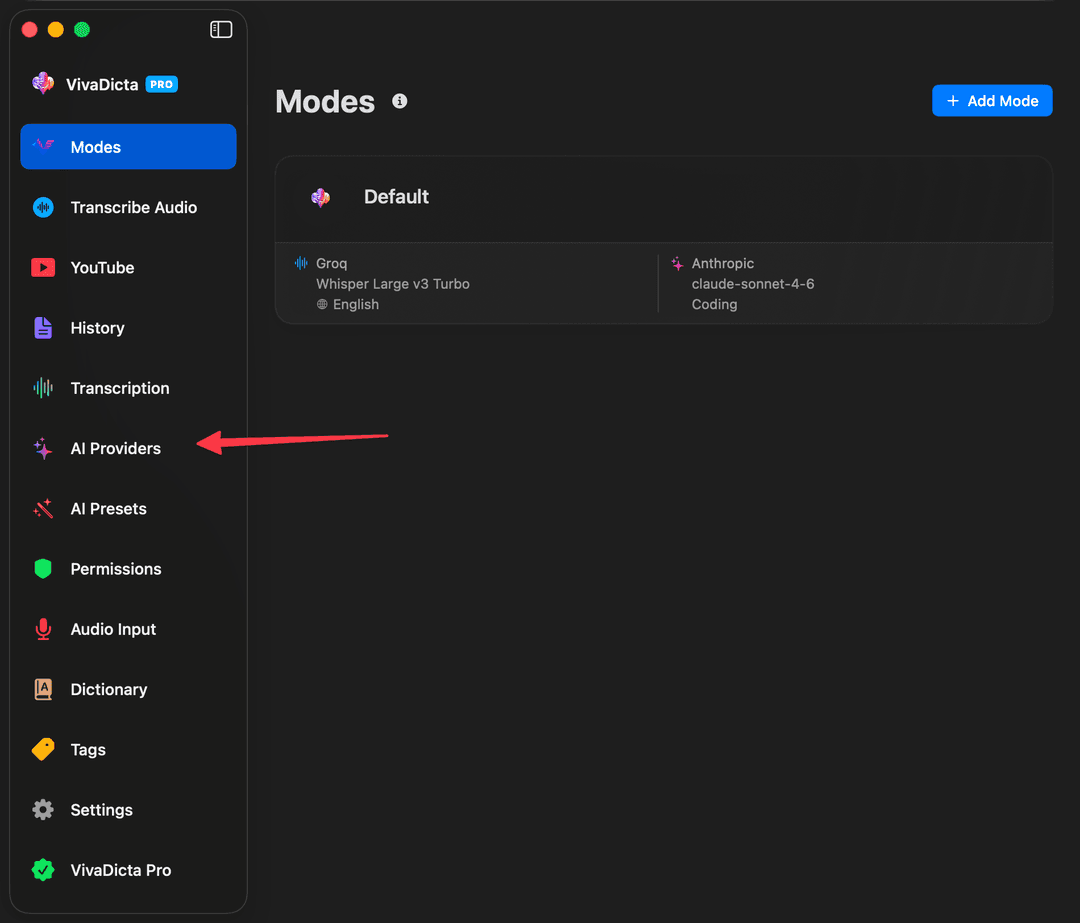
Step 2: Open AI Providers
In VivaDicta, click AI Providers in the sidebar.
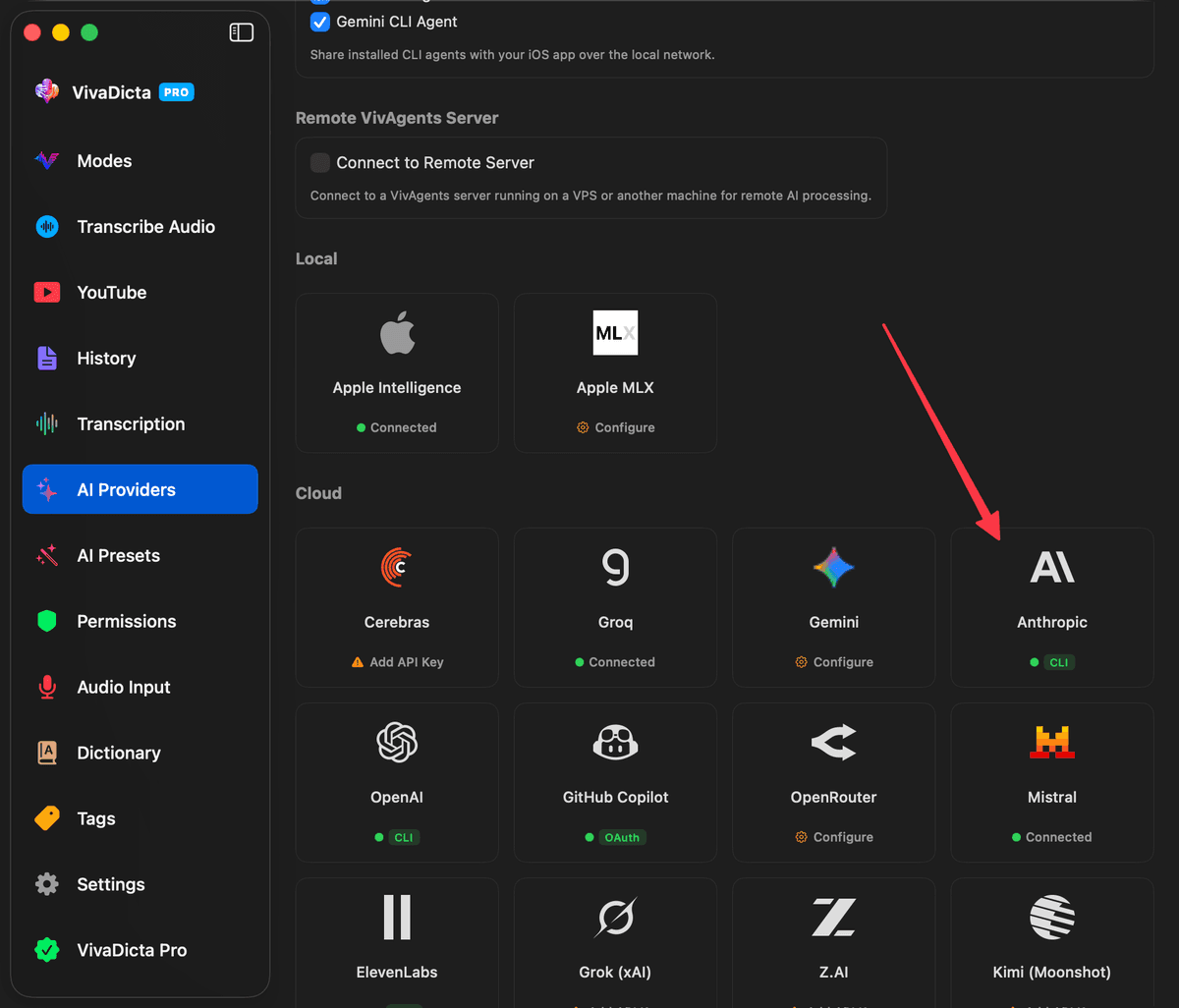
Step 3: Select the Provider
Click on the provider card that matches your CLI agent — for example, Anthropic for Claude Code. Providers with a CLI agent installed show a CLI badge.
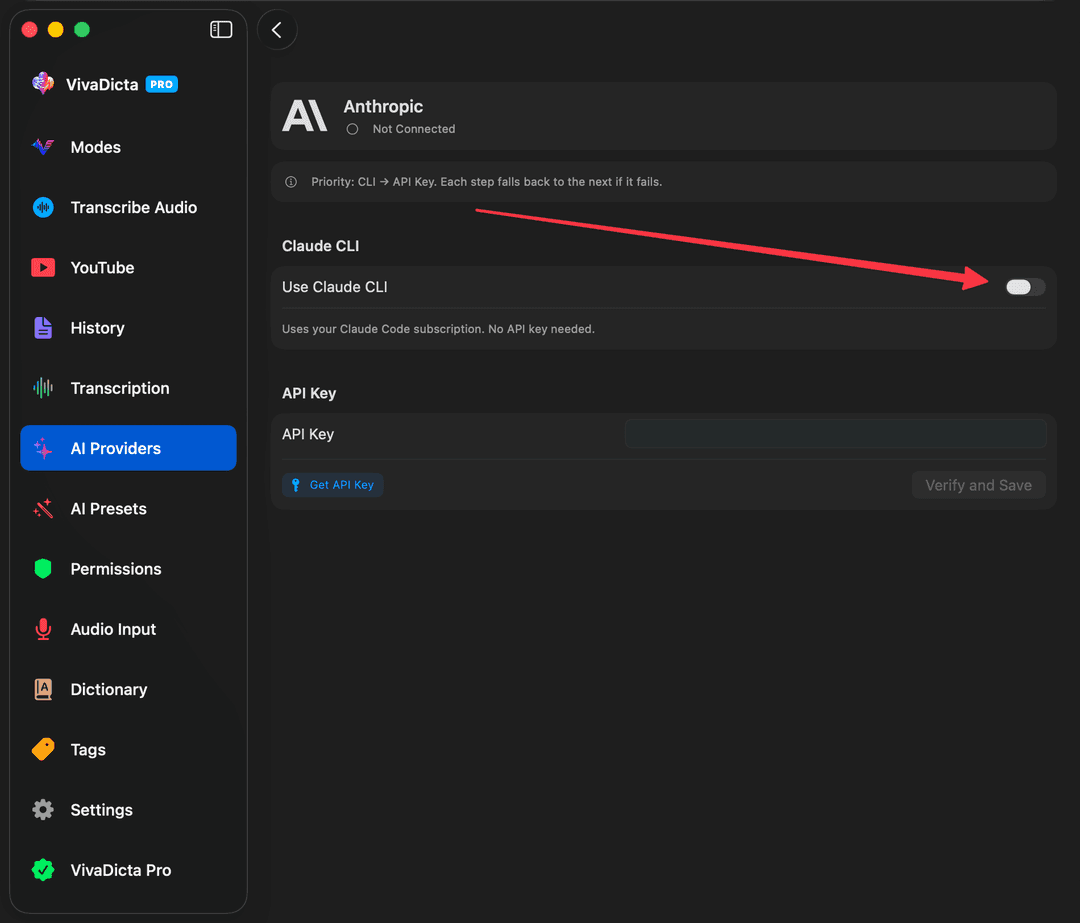
Step 4: Enable the CLI Toggle
Turn on the Use Claude CLI toggle (or the equivalent for Codex / Gemini). That's it — VivaDicta will now route AI processing through the CLI agent using your subscription.
Fallback Chain
When multiple methods are configured for a provider, VivaDicta tries them in priority order and automatically falls back if one fails:
- Anthropic: CLI Agent → API Key
- OpenAI: ChatGPT OAuth → CLI Agent → API Key
- Gemini: Google OAuth → CLI Agent → API Key
What's Next?
- VivAgents Server — share CLI agents with your iPhone/iPad, or connect to a remote server.
- AI Providers — set up API keys, OAuth, and other authentication methods.
- AI Processing Overview — learn how VivaDicta uses AI to polish your transcriptions.
Note: CLI agents (Claude Code, Codex) are designed for software development use. Using them for general text processing may fall outside the intended use and could lead to account restrictions. By enabling this feature you proceed at your own risk.